
LastPass: Set SMS Account Recovery
1. While logged in to your LastPass account, click Account Settings. Under General tab, scroll down and click ‘Update Phone’ under SMS Account Recovery.
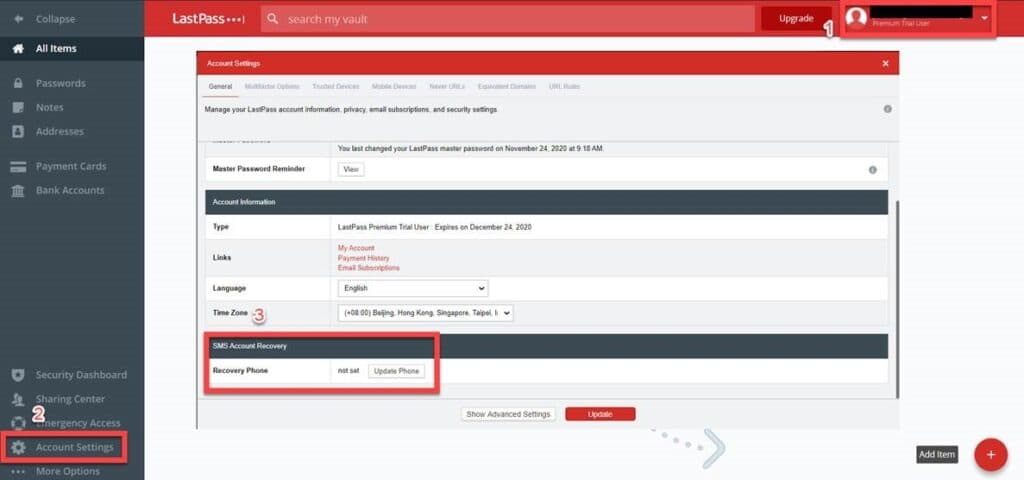
2. On the next page, enter your LastPass Master Password to authenticate and hit ‘Continue’ to proceed.
3. Assign a phone number to be used for recovery, then hit ‘Send Test Code’. Enter the 6-digit confirmation code and click ‘Verify’.
4. You’ll get this ‘Success’ page once the phone number has been registered successfully.
This site is protected by reCAPTCHA and the Google Privacy Policy and Terms of Service apply.